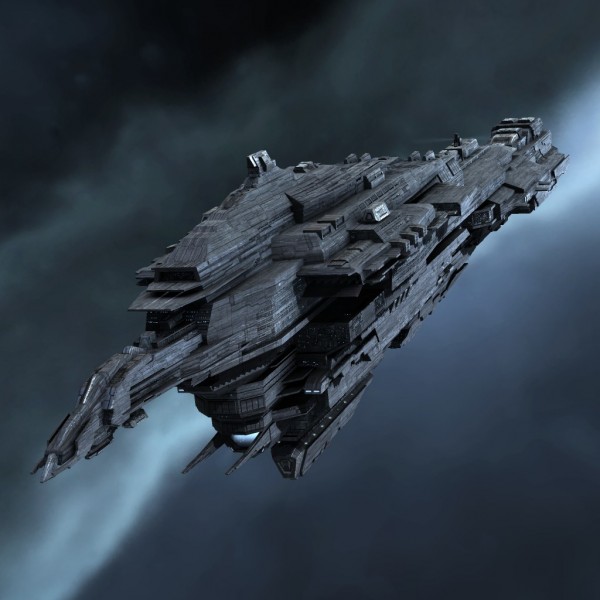
Beta 0.4.0.0 Feedback Thread

Allright, here’s the problem with the capship control scheme: there aren’t enough keys on the keyboard to do everything naturally.

This is how it currently works:

WS = Turn ship around to face the camera (or the inverse direction of the camera). It needs to be held down currently, but “press once” to have the ship automatically turn around is possible too.

Note that it requires the camera to be facing the direction you want to turn in to, even for a short time.

QE = Roll
AD = Yaw
RF = Pitch

These keys are important, because they give the ability to control your ship orientation while the camera is facing another direction. So you can be looking around at incoming attacks from the back, and if you want to turn the ship, you can still do it without having to rotate the camera where you want the ship to be turning

So far so good, but now we have the problem of… strafing. As far as I know, most capship-based games ( Dreadnought, World Of… etc… ) do not have strafing. And play in 2D, not at 360°. So they have it easier :wink:

In any case, strafing is not needed as often as turning the ship around, which is why my solution was to introduce a “strafe key”, which you hold down, and then the rotation keys now act as strafing. The strafing key is currently reusing the “view” key ( default: left-CTRL ), as I thought adding yet-another keybinding would be difficult ( we’re running out of keys, especially on the left side of the keyboard ).

When strafing, the keys now become:

WS = Forward/backward ( also temporarily accelerate/slowdown to exceed the target speed)
AD = Left/Right
RF = Up/Down

Note that QE ( roll ) isn’t affected by the strafing key.

If anybody has a better scheme to suggest, I’m all ears :wink:

So in summary, there are 2 changes that I’m considering doing:

  1. WS can be pressed once and the ship will automatically turn around to face the camera. It can be cancelled by pressed one of the manual rotation keys before it reaches its target orientation.

  2. Swapping WS and RF ? So WS = Pitch, RF = press once for ship to turn around.

4 Likes

I am in favour of both these changes.

1 Like

Got some bit of notes also.

Flight model
It is pretty neat now. That soft limit was a good idea in my opinion. Dancing around cap ships and stations in strike craft feels great. When i needed more i just hit override and had it. Love it.

Warp
Did warp got tweaked ? It seems lot more responsive, at least in strike craft.
Or is it just the dust effect ? I understand people want to see where they fly. …but i love the warp effect. :smiley:
When overridden man it gives great sense of speed while still not taking control away. Again with strike craft, i don’t have much experience with cap ships.
Also i don’t think people would mind so much once map is implemented. Right now we don’t have proper situational awareness, planet scale wise.

Cruiser textures
Are really pretty. I am convinced that some basic color shapes of white or other color variation on stations would liven those up as well.
Example what i mean (this is just example of color shades, not overall about design):

example pictures

First one looks bland compared to second one doesn’t it ?.
http://img.itemdrop.net/eve/Incursion/Renders/2006.png
http://games.chruker.dk/eve_online/graphics/ids/512/1065.jpg

And now this one looks pretty boring, although the detail is there, it is just hidden behind same-y color.
http://evewiz.com/2168-thickbox/leviathan-eve-online-titan-ship.jpg

Weapons

  • Missiles/torps seem to start tracking only after some time. therefore launching them closer then 1 Km will result usually in a miss. For torpedoes it seems counter-intuitive.

  • Turrets, it would be great to have some indicator of differentiation of weapon types.
    Currently there are dots but you don’t know which weapons do they represent.

Capital ships
I am not too fond of W/S to set your heading and R/F to pitch.

eehm yes right that …Got confused by azerty layout, right there :smile:

Totally its most useful view, but lacks all the needed info.

Also i watched stream afterwards and noticed how Hutch was struggling with bomber. It seems to have extremely low sensitivity for mouse joy. This is non issue with joystick. Something might be off there.

Anyway great update with the speed changes those really kicked it somewhere else if you ask me.
And these pretty textures are bringing it to life for sure.
:+1:
Great job guys.

3 Likes

Good catch, I edited the post, that was totally the case.

3 Likes

Here are some things I noticed today, after not having played for a while:

  • Ships are not “on” by default, when playing with a controller this bothers me because I have to press a button on my keyboard when respawning
  • The flight model is better, but I still wish it wasn’t “newtonian” because I still have problems flying the ships. Changing directions is just so tedious
  • The HDR often makes things very hard to see, for example when being close to an exploding station the fire blasts are very blinding, sometimes so much that hardly anything else is visible (I play on a tv screen)
  • Its still hard to tell where the objects (ships/stations) are (as in what side of the planet for example). Occluded objects should not be shown imo
  • The shadow behind the ring radar is too dark for my taste

Other than that I think everything is much improved and definitely going in the right direction

6 Likes

I agree. My point that was made wasn’t that they’re good. It was that mobility is more important then the raw dmg output right now. Because being able to escape and go on to the next station without starting a fight is ideal right now. In the future? Who knows.

1 Like

Yes, please.

1 Like

i know this is a feedback thread but ill ask anyways as im really curious, why do the different views (capships) have different controlls? wouldnt it be easier to use the same controls accross all views? that way you could fit all the controls on to the keyboard. if i have missed something like the whole point of the set up then i apolagise lol

Hey @deathsmessenger.

There are two buttons. F2 to change view and F4 to change controls.
You can use all control methods on all ships.

oh right ok lol i thought f4 cycled the views because the camera changes each time you press it…i guess i missed the point completley lol. thanks

Yeah there’s a bug that “turns/rotates” your view when changing from the capital controls to others. Double tap “Controll” key to reset your view.

In a next patch I’m going to experiment something to address that.

2 Likes

Yesterday I got harassed in my destroyer by a couple of corvettes and interceptors, and I felt powerless shooting them one after the other (they retreated one I did some damage). I think I didn’t manage to drop a shield even once, with all weapons or only mk2 ones…

I was under the impression that some turrets were unable to fire for some reason. I get it on all turreted ships. Maybe the rotational speed of turrets should be increased, or their rate of fire so that we get some feedback when clicking? Or just a turret status (target out of arc, reloading, spinning, aimed and ready) would do the job.

Also when switching from one view to the other, the camera doesn’t keep the orientation so aiming is messed up in the transition.

That’s actually a very good suggestion. Maybe we could display a small icon on top of each turret which represents its state ( no target, target out of range, target out of fire cone, target acquired ) ? It’s also possible that the turrets behavior is slightly buggy. I’ve seen some strange behavior myself, so I’ll have to investigate more. Finally, it’s simply possible that the target was under the turret’s horizon. Although IIRC the code checks for that and acquires a new target in this case. The reason it might be buggy is when a ship zig-zags above/below the horizon of a turret, that one could be ping-poning between multiple targets without sticking on one. We’ll see.

2 Likes

My big issues with capitals for the most part, is how you have to micromanage your guns. It’s simply not possible in a big battle. The sub-captial guns should honestly be automated to some degree or another. So that way big ships can focus on what needs to die.

Honestly that is a good idea, KSP uses a rotation / strafe swap, but also can have all of those keys mapped. In my case if I were to play M/KB I have a G600 mouse I could throw some of those functions and do both. I would want that option. Once my current setup is bound, my strafe stick has an analog hat, so also could bind the view to it for caps.

So basically give people the tools to do both is how I would do it personally.

1 Like

I really like the flight model as it currently stands. It really reminds me of Evochron and IWar2, both great Newtonian space shooters. Pacing of flight seems really good, there is a big difference between ships.

I do kindof wish there was a fighter in between the interceptor and the bomber, though :slight_smile:

Gave my feedback in discord on the need of better vector indicator, and yeah if the radar would get that I think that would be perfect.

I like the lack of enemy target damage readout. My suggestion would be more visual feedback, especially on the bigger ships. Small ships seem to die fast enough it’s not a concern one way or the other.

Really like the game so far, I can see the work put in and really appreciate the “spacey” feel that the game has.

5 Likes

unfortunately, I can’t test the game as I wish ( due to my config wich seems on the lower border line nowadays : / )
So I will not be useful for technicals feedback : /
but !! my first thought after my fisrt try was " It might be better for beginners if they were able to manage and test their controls ( keyboard/controllers ) off line before to jump in the game !!! "
So if you can juste let the player launch an offline game to test and adjust their controlers, it might be really great !! ^^
thx anyway : )

" It might be better for beginners if they’ll be able to manage and test their controls ( keyboard/controllers ) off line before to jump in the game !!! "

Once you’ve spawned:

Press Enter, type /ghost press Enter

You are in “ghost mode”, so the npc’s should leave you in peace to test and explore.

5 Likes

Thanks you very much for the tip ^^ I will test it ASAP : )
I still think it might be useful not to have to know/use this on an online party after you join the game.
Because players join a team at the beginning, and when you play in a team work where there is common goal ( even if it’s just a game ^^ ) you can’t tell " wait … I need to manage my controllers " .
The logical way is first to say " mmm ok, after some tests, I think I’m ready … let’s try to find a place and join the XXX team now !! "
I hope you see what I mean ?! : )

1 Like